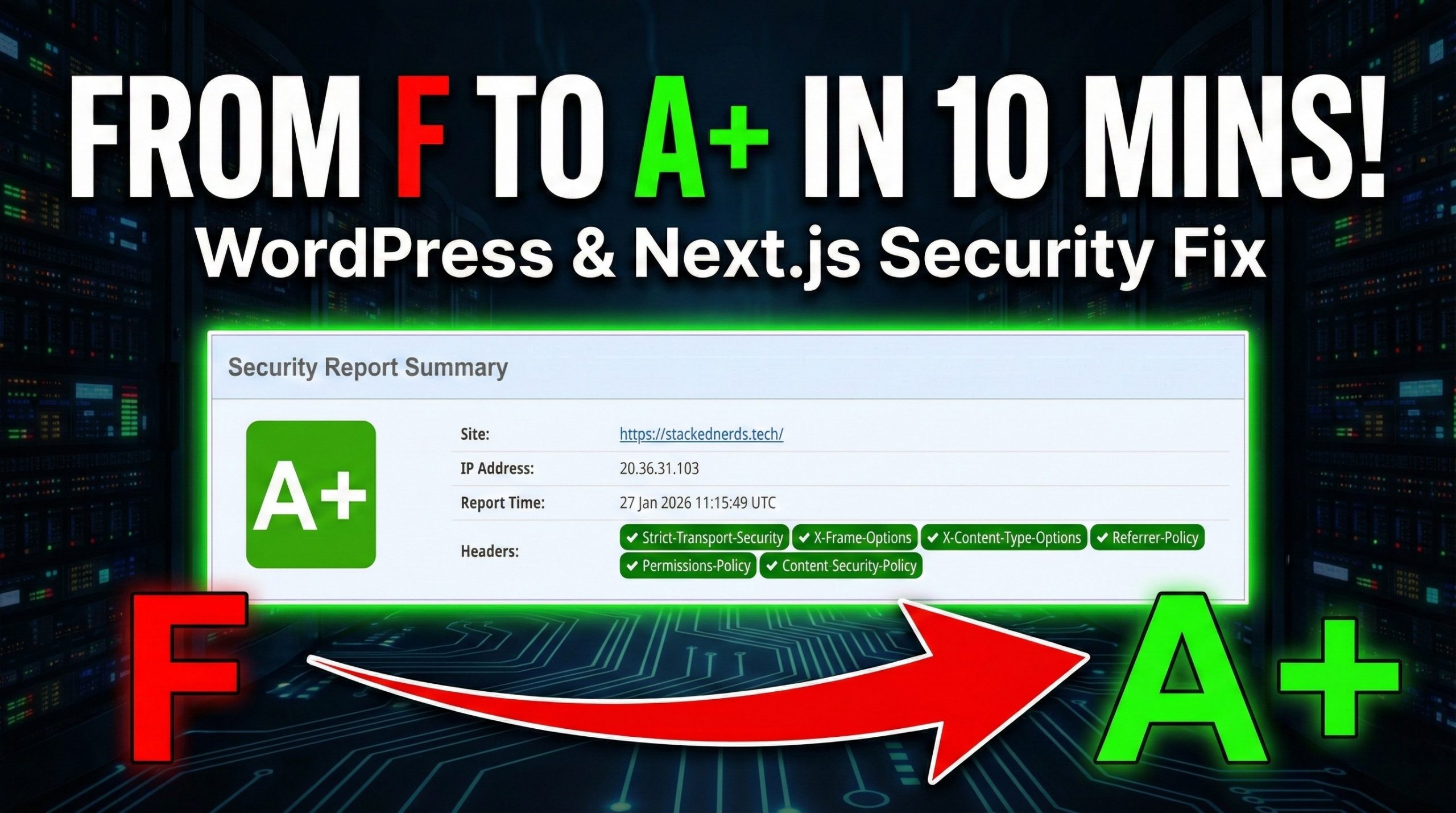
We recently ran our site through SecurityHeaders.com, expecting a decent result. Instead, we were hit with a massive, bright red “F”.
It turns out, 90% of WordPress sites launch with this exact grade. It doesn’t mean you’ve been hacked—it means your server is missing the basic instructions that tell browsers how to protect your users.
Today, we are going to show you exactly how we took the Stacked Nerds ecosystem from a failing grade to a perfect A+ in under 10 minutes.
Stuck on a complex stack like Nginx or Kubernetes? Reach out—we love solving weird infrastructure puzzles.
Wait, What Are Security Headers?
Before we fix them, let’s briefly explain what they actually do. Think of your website like a house. An SSL certificate (HTTPS) locks the front door, but Security Headers are the rules that tell visitors which windows they can open and who is allowed to ring the doorbell.
Here are the big ones we were missing:
- Strict-Transport-Security (HSTS): Tells browsers, “Only ever talk to us over a secure HTTPS line. Never use HTTP.”
- X-Frame-Options: Stops other sites from putting your website inside an invisible box (iframe) to trick users into clicking things (Clickjacking).
- X-Content-Type-Options: Tells the browser, “Don’t try to guess what kind of file this is; trust what we say.”
- Permissions-Policy: Explicitly turns off scary features—like the user’s microphone or camera—unless you specifically need them.
- Content-Security-Policy (CSP): The ultimate whitelist. It blocks any script or image that doesn’t come from a trusted source.
The “Before”: Why Did We Get an F?
Most standard server setups (Apache or Nginx) prioritize compatibility over security. By default, they leave out every single one of those headers above.
The fix isn’t to buy expensive security software. It is to simply “tell” the browser the rules.
Option 1: The Easy Way (Using a Plugin)
If you aren’t comfortable editing server files, we recommend the “Headers Security Advanced & HSTS WP” plugin for WordPress.
- Install & Activate the plugin.
- Navigate to the settings and apply these standard rules:
- X-Frame-Options:
SAMEORIGIN - X-Content-Type-Options:
nosniff - Referrer-Policy:
strict-origin-when-cross-origin - HSTS:
Max-Age: 31536000(1 Year)
- X-Frame-Options:
The Problem We Faced with Plugins: Sometimes, caching plugins (like WP Rocket) or server-side caches serve pages without running PHP. This means the security plugin never triggers, and the headers disappear. We saw our grade drop back to “F” because of our server cache. We needed a more permanent solution.
Option 2: The “Bulletproof” Way (.htaccess)
This is the method we used to lock in our A+ permanently. By adding the rules directly to the server config, they work even if plugins fail or caching is aggressive.
If you are on an Apache server (most WordPress hosts), open your .htaccess file and paste this snippet at the very top (before # BEGIN WordPress):
<IfModule mod_headers.c>
  Header always set X-Frame-Options "SAMEORIGIN"
  Header always set X-Content-Type-Options "nosniff"
  Header always set Referrer-Policy "strict-origin-when-cross-origin"
  Header always set Strict-Transport-Security "max-age=31536000; includeSubDomains"
  Header always set Permissions-Policy "camera=(), microphone=(), geolocation=(), payment=()"
  Header always set Content-Security-Policy "upgrade-insecure-requests;"
</IfModule>
Note: We kept the Content-Security-Policy (CSP) simple (
upgrade-insecure-requests). A strict CSP is great, but it requires hours of whitelisting. This one-liner provides a huge security boost without breaking your theme or analytics.
For the “Headless” Devs: Cloudflare & Next.js
Since we couldn’t use .htaccess on a custom react/nextJS site , we used a _headers file in the /public directory of our project:
/*
  X-Frame-Options: SAMEORIGIN
  X-Content-Type-Options: nosniff
  Referrer-Policy: strict-origin-when-cross-origin
  Permissions-Policy: camera=(), microphone=(), geolocation=(), payment=()
  Strict-Transport-Security: max-age=31536000; includeSubDomains; preload
  Content-Security-Policy: upgrade-insecure-requests;
This ensures that Cloudflare attaches the security headers to every response at the edge, regardless of the underlying code.
Why We Obsessed Over This (The ‘Stacked Nerds’ Story)
We run a site called Stacked Nerds. The name implies we should know what we’re doing, right?
But when we first scanned our site, that bright red F wasn’t just a bad grade—it was a hit to our pride. Here we were, writing about tech, deploying Next.js apps, and managing servers, yet we had left our digital front door unlocked.
It was a wake-up call. We realized that “functionality” isn’t enough. You can have the cleanest code and the fastest server, but if you ignore these invisible HTTP headers, you are failing your users.
We didn’t just want to fix it; we wanted to master it. We spent hours debugging caching conflicts on Apache and figuring out the nuances of Cloudflare’s _headers file so you don’t have to.
Now, whether we are serving a static Next.js page or a dynamic WordPress post, we know our users are safe. And honestly? Seeing that A+ across our entire ecosystem feels pretty good.
The Result
After updating the files and purging our cache (Crucial step!), we re-ran the scan.

Security doesn’t always have to be complicated. With about 10 lines of code, you can secure your visitors against a wide range of browser-based attacks.
Go scan your site now. If you see an F, feel free to copy the code above.
Stuck on a Different Stack? We know not everyone runs on Apache or Cloudflare. Maybe you are wrestling with Nginx configurations, stuck in an AWS S3 bucket, or managing a complex Kubernetes cluster.
If you are trying to implement these headers on a different deployment method and hitting a wall, reach out to us. We love solving weird infrastructure puzzles—let’s get your stack secured together.